FESCO New Connection
What Is the FESCO New Connection?
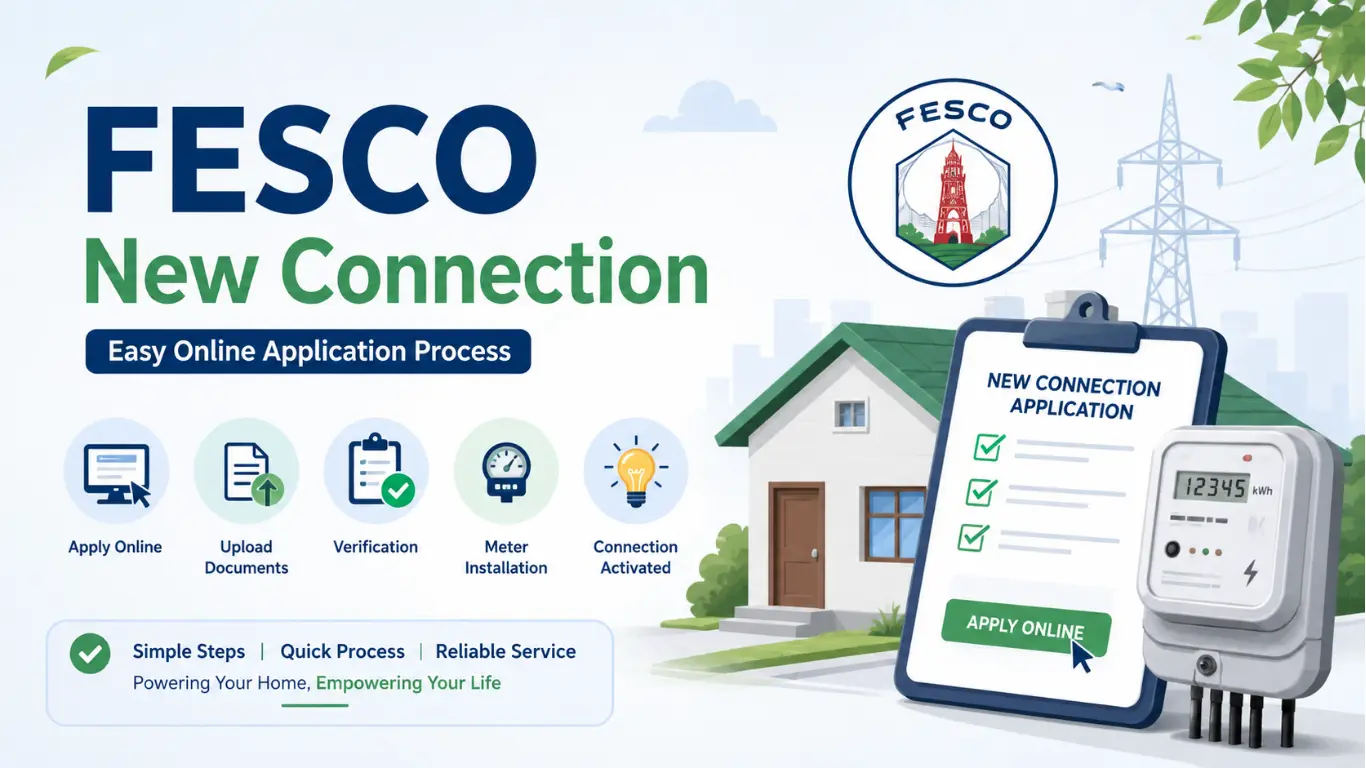
If you are building a new house, opening a shop, or setting up a business in the FESCO service area, you will need a new electricity connection. FESCO has made the application process much easier through its online system, so you no longer need to visit multiple offices for the initial application.
Whether you need a domestic, commercial, industrial, or agricultural connection, you can apply online by submitting the required documents and following a few simple steps.
Who Can Apply for a New FESCO Connection?
You can apply for a new electricity connection if:
- You own a residential property.
- You have rented a property with the owner’s permission.
- You are opening a commercial business.
- You require an industrial or agricultural electricity connection.
- Your property falls within the FESCO distribution area.
Documents Required for a FESCO New Connection
Before starting your application, prepare these documents:
- Copy of your CNIC
- Ownership documents of the property
- Registry or allotment letter
- Recent passport-size photograph
- Neighbor’s electricity bill (if required)
- Wiring contractor’s test report (where applicable)
- Affidavit or NOC if requested
- Mobile number and email address
Having scanned copies ready will make the online application much faster.
How to Apply for a FESCO New Connection Online
Applying online is straightforward if you follow each step carefully.
Step 1: Visit the ENC Portal
Open the official Electricity New Connection (ENC) portal using your web browser.
Step 2: Select FESCO
Choose FESCO (Faisalabad Electric Supply Company) from the list of electricity distribution companies.
Step 3: Choose Connection Type
Select the category that matches your requirement, such as:
- Domestic
- Commercial
- Industrial
- Agricultural
- Temporary connection
Step 4: Fill Out the Application Form
Enter all the required information, including:
- Applicant’s full name
- Father’s or husband’s name
- CNIC number
- Mobile number
- Email address
- Complete property address
- Load requirement
- Meter location details
Double-check all information before moving to the next step.
Step 5: Upload Required Documents
Upload clear scanned copies of all required documents.
Poor-quality or incomplete documents can delay your application.
Step 6: Submit Your Application
Review your information and click the Submit button.
The system will generate a tracking or reference number. Save this number because you will need it to check your application’s progress.
Step 7: Verification Process
After submission:
- Your documents are verified.
- FESCO officials inspect the site if required.
- Technical approval is completed.
- Demand notice is generated.
Step 8: Pay the Demand Notice
Once your application is approved, download the demand notice and pay it through:
- Designated banks
- ATM
- Internet banking
- Mobile banking apps
- Other approved payment channels
Keep the payment receipt safe.
Step 9: Meter Installation
After payment verification:
- FESCO processes your application.
- Technical staff visit your location.
- The electricity meter is installed.
- Your connection is activated.
How to Check FESCO New Connection Status
You can track your application anytime using your reference or tracking number.
The online status usually shows stages such as:
- Application Received
- Documents Verified
- Under Processing
- Demand Notice Issued
- Payment Verified
- Meter Installation
- Connection Completed
Checking the status regularly helps you stay updated without visiting the office.
How Long Does a New FESCO Connection Take?
The processing time depends on several factors, including:
- Type of connection
- Load requirement
- Document verification
- Site inspection
- Demand notice payment
- Availability of infrastructure
Simple domestic connections are generally completed faster than commercial or industrial applications.
Common Reasons for Application Delay
Sometimes applications take longer due to:
- Incorrect CNIC details
- Missing documents
- Unclear scanned copies
- Incomplete application form
- Pending demand notice payment
- Technical issues during site inspection
Submitting accurate information from the start helps avoid unnecessary delays.
Tips for a Smooth FESCO New Connection Application
To make the process easier:
- Fill in all details carefully.
- Upload high-quality scanned documents.
- Use an active mobile number.
- Save your tracking number.
- Pay the demand notice before the deadline.
- Regularly check your application status online.
Frequently Asked Questions (FAQs)
Can I apply for a FESCO new connection online?
Yes. FESCO allows applicants to submit new electricity connection applications through the official Electricity New Connection (ENC) online portal.
What documents are required for a FESCO new connection?
Generally, you need your CNIC, proof of property ownership or possession, passport-size photo, and any additional documents required for your connection category.
How can I check my FESCO new connection status?
You can track your application online using the tracking or reference number provided after submitting your application.
How long does it take to get a new FESCO electricity connection?
The processing time varies depending on document verification, technical approval, demand notice payment, and meter availability.
Can I apply for a commercial electricity connection?
Yes. FESCO accepts applications for domestic, commercial, industrial, agricultural, and temporary electricity connections through the same online process.